Digital Asset Management: Complete Guide to DAM Strategy

Learn about how Digital Asset Management software is used to centralize, organize, share and store marketing content.

Author

Blog Header Product DAM

Digital Asset Management (DAM) is the practice of organizing, storing and distributing an organization’s creative files in a central hub. This includes all marketing content, from a tiny icon and thousands of product images to campaign videos and brand guidelines.

What Is a Digital Asset Management System and How Does It Work?

Digital Asset Management (DAM) is a centralized system used to organize, store and distribute an organization’s digital files. This includes everything from a single icon and thousands of product images to campaign videos and brand guidelines. It acts as a single source of truth with powerful functionalities to ensure people can always find the right content.

This guide provides the foundational knowledge and insights needed to evaluate, select and implement a Digital Asset Management system that transforms how your organization manages its digital content. Understanding modern file architectures such as distinguishing work-in-progress from archival systems and including AI-driven oversight is key to building a scalable content operation.

Here’s what you’ll learn:

  • The benefits of a Digital Asset Management program
  • How a DAM differs from general file storage
  • The types of content you can store
  • The technical content lifecycle 
  • Which industries gain the most from DAM
  • Key features to look for, including AI-powered automation
  • Who uses DAM beyond marketing teams
  • AI and the role of governance in content management
  • How to choose and implement the right solution
  • Best practices for ongoing success

What a DAM means and what the software does

At its core, a DAM system performs four essential functions that combine to ensure every piece of content your team creates can be found, used and governed effectively throughout its entire lifecycle.

  1. Store: It provides a secure, centralized repository for all digital files, be they images and videos, documents or design files. Its purpose is to eliminate the chaos of content scattered across shared drives, email inboxes and cloud storage folders.
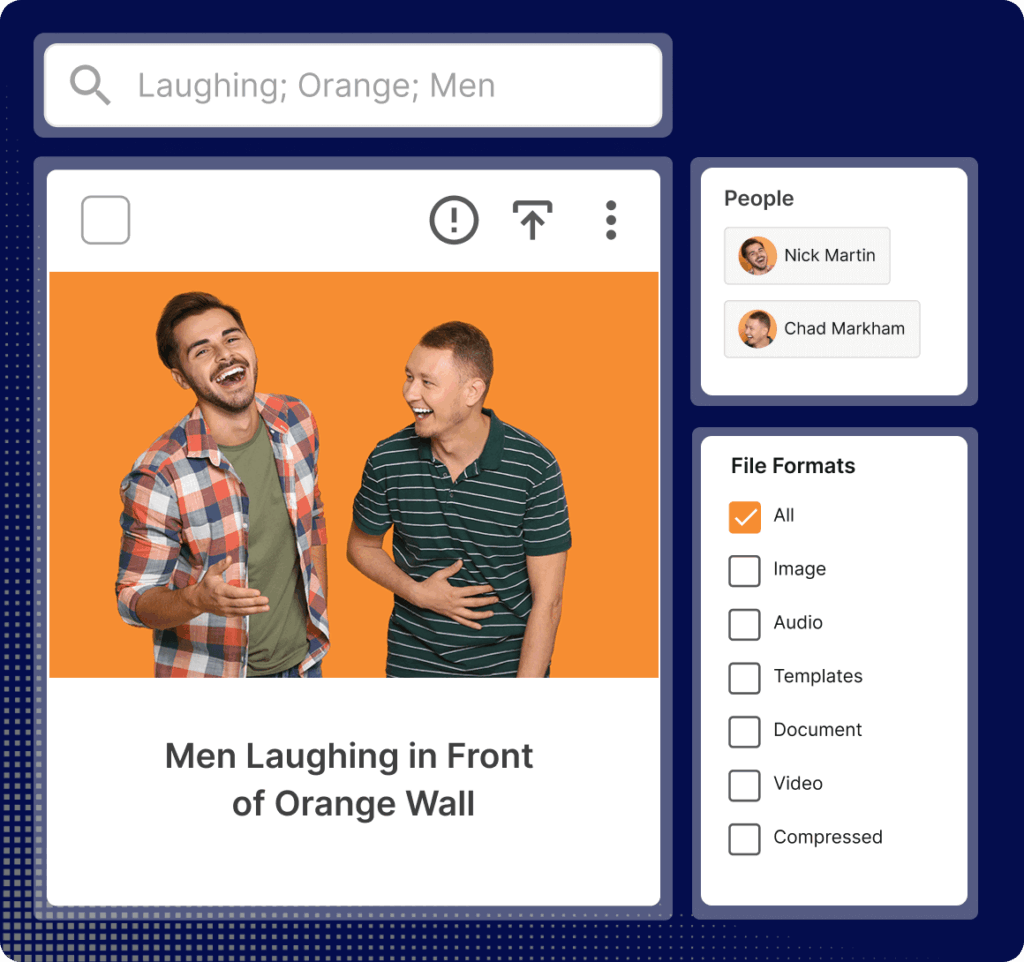
  2. Organize: It applies structure to content through descriptive information like keywords, tags and categories commonly known as metadata. Modern Digital Asset Management programs use AI to auto-tag files, recognizing objects, colors, scenes and even faces, making organization scalable and consistent.
  3. Find: It makes content discoverable through powerful search capabilities. Instead of digging through folders, teams can find exactly what they need in seconds using keywords or filters.
  4. Share and Distribute: It controls how content is shared, both internally and externally. Teams can generate permissions and secure links with expiration dates. DAMS can push content directly to websites or social channels via integrations and ensure external partners always access the latest approved versions.

How DAM works: The core workflow

A DAM system manages the complete content lifecycle from creation to storage, retrieval, governance and archive. The core workflow typically involves:

  1. Upload/Ingest: Files are added to the system, either manually or through automated integrations.
  2. Enrich with Metadata: The system, often using AI, automatically applies descriptive information (tags, keywords) to files, making them searchable.
  3. Search and Retrieve: Authorized team members can quickly find the content they need using keywords, filters or saved searches.
  4. Share and Distribute: Approved content is shared internally or externally, often via secure CDN links or direct integration with other marketing tools like content management systems or social media platforms.
  5. Govern and Archive: Administrators manage user permissions, track usage rights and archive outdated content to keep the library clean and brand compliant.

This workflow fundamentally differs from generic file storage solutions like Dropbox, Google Drive or SharePoint. While those tools are excellent for basic file sharing and collaboration on documents, they lack the advanced metadata, search and approval features critical for managing high volumes of marketing content. A DAM is built for the unique demands of creative workflows.

What Are the Key Benefits of a Digital Asset Management System?

Key benefits of a DAM system include centralized control of creative content across versioning, approvals and marketing compliance control. Stable digital asset management results in significant time savings and enhanced brand consistency and legal compliance.

Core benefits

  • Centralized Access: Eliminate silos by keeping all marketing content in one searchable repository. This ensures global teams, partners and agencies work from the same approved files.
  • Time Savings: Manual tasks like tagging images, resizing files and converting formats are automated, saving teams hours of administrative work each week.
  • Quick Retrieval: With robust metadata and AI-powered search, teams can locate files in seconds instead of combing through folders or shared drives.
  • Version Control: Teams always work on the latest approved version, minimizing the risk of using outdated or incorrect files.
  • Brand Consistency: Control who can use logos, templates and other creative files, ensuring every campaign aligns with brand standards.
  • Streamlined Collaboration: Centralized review and approval workflows keep feedback clear and actionable, reducing endless email threads.
  • Risk Reduction: Managing digital content files in a DAM allows greater visibility and marketing compliance with creative usage rights, licenses and expirations. Dates can be tracked automatically and detailed usage information embedded within the file.
  • Enhanced Security: Granular permissions protect sensitive content, such as unreleased campaigns or files intended only for specific regions.

DAM benefits summary

Benefit What It Enables Example KPI/Impact
Centralized Access Global teams work from one source of truth. Reduction in time spent searching for content.
Time Savings Automation of repetitive tasks. Hours saved per week across the marketing team.
Brand Consistency Controlled access to logos, templates and campaigns. Increase in on-brand content output.
Risk Reduction Automated tracking of rights and expirations. Decrease in compliance or rights-related incidents.

What makes a DAM different from Dropbox or SharePoint?

Digital Asset Management software is built for the specific needs of marketing and creative teams, unlike general-purpose file-sharing tools such as Dropbox and SharePoint.

Capability DAM System Dropbox SharePoint
Primary Purpose Manage and distribute marketing content. File sharing and synchronization. Document management and intranet.
Search AI-powered visual search, metadata filtering, facial, location and object recognition. Basic file name and text search. Basic metadata search, often requires manual configuration.
Metadata Customizable fields, auto-tagging and bulk editing. Very limited or non-existent. Available but complex to configure and manage.
Version Control Designed for creative files; maintains master and its renditions. Basic version history for documents. Basic version history for documents.
Rights Management Track licenses, expirations and usage restrictions. Not available. Not available.
Creative Workflows Built-in review, approval and proofing tools. Not available. Basic approval workflows for documents.
DAM Search Graphic Square Midnight

What Types of Marketing Assets Can Be Stored on a Digital Asset Management System?

Digital Asset Management systems are versatile and can manage almost any type of digital file your business depends on.

Marketing Asset types and file formats

File Category File Types Examples
Images JPEG, PNG, EPS, TIFF Product shots, executive portraits, photography, icons, logos, illustrations
Videos MP4, MOV, AVI Ads, training clips, social reels, animations, event recordings
Audio MP3, WAV, AIFF Podcasts, soundtracks, voiceovers, interview recordings
Documents PDF, Word, Excel, PPT Creative briefs, strategy decks, research reports, sales collateral
Design Files PSD, AI, INDD (Adobe Suite) Print and digital collateral such as brochures, banner ads and magazine layouts
Other Formats Fonts (TTF, OTF), HTML Typography files, email templates, other specialized needs

How DAM handles different file types in practice

A Digital Asset Management system doesn’t just store these files; it actively manages them to create real-world value.

  • Campaign Organization: A DAM keeps all elements of a campaign together. This includes everything from master images, social cuts, captions, legal disclaimers and templates. Permissions can be set to control who sees master files versus ready-to-use outputs, ensuring both internal teams and external partners work from the same approved content.
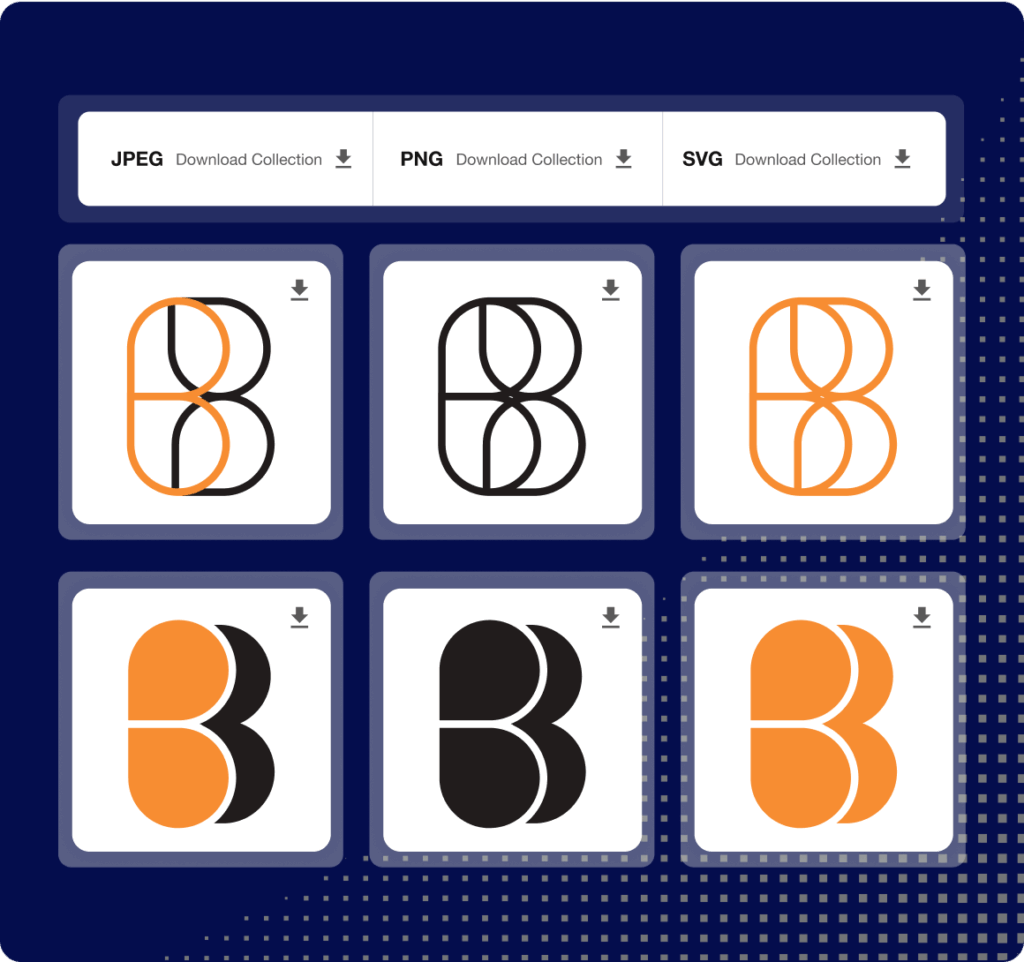
  • Format Conversion: Need a web-ready PNG from a master TIFF or a print-ready PDF? On-the-fly file conversions let non-technical team members self-serve the correct format directly from the master file. The system generates the right file and size for each channel (e.g.,web, social, email, print) without the need to involve a designer.
  • AI-Powered Search: AI automatically adds descriptive metadata by recognizing objects, scenes and colors in an image or video. It can also use facial recognition, (technology that identifies or verifies a person) to find all instances of an executive or approved talent, provided rights allow. This makes searching fast and accurate across all file types.
  • Tool Integrations: A DAM connects directly with creative tools like Adobe Creative Cloud, Figma and Canva. Designers can pull files directly into their projects and save updated versions back to the DAM. Integrations with stock libraries can also sync to the DAM.
  • Easy File Updates and Sharing: Managing content files in a DAM system allows you to push the latest approved image or video directly from the platform to wherever the content needs to appear digitally via CDN (Content Delivery Network) links. This is exceptionally handy when creative work needs updating instantly.
DAM Self Service Product Graphic Square Midnight

What Are the Key Features of a Digital Asset Management System?

Key Digital Asset Management software features include metadata management, version control and robust permissions. These features work together to create a secure, efficient and scalable content hub.

  • Metadata and Search: Detailed metadata, often applied automatically by AI, makes every file discoverable through powerful search and filtering.
  • Version Control: The system tracks every edit, ensuring teams always use the most current, approved version of a file while maintaining a clear history.
  • Permissions and Rights Management: Granular controls manage who can view, download, edit or share content. The system can also track usage rights, licenses and expiration dates.
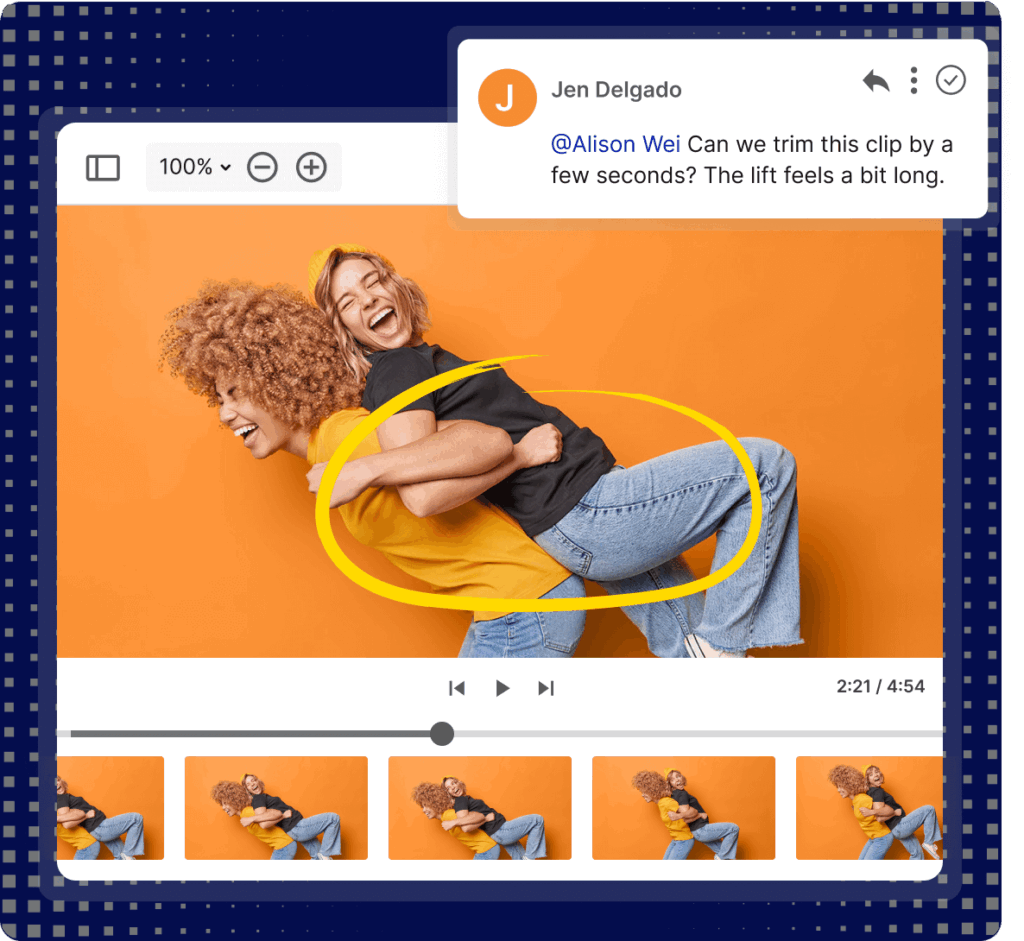
  • Collaboration Tools: Built-in review and approval workflows, annotation tools and activity tracking streamline teamwork and reduce back-and-forth communication.
  • Integrations: APIs (Application Programming Interface) acts as a digital messenger that lets software talk to each other. This allows the DAM to work seamlessly with essential tools like Adobe Creative Cloud, Figma, Canva and a wide range of content management systems (CMS).
  • Headless DAM Options: Headless DAMs are integrated into the background of other systems (like a website or mobile app) meaning you might never log into the Digital Asset Management program directly. Instead, your website’s software automatically asks the DAM for the right image and displays it.
  • Closed Captions and Transcripts: Some DAMs can automatically generate closed captions for video content, supporting accessibility compliance and improving searchability.

Core features

Feature Description Primary Users Value
Metadata & Search AI-powered tagging and robust filtering. All teams Find content instantly, reduce time spent searching.
Version Control Track edits and maintain a single source of truth. Creative, Marketing Eliminate errors from using outdated files.
Permissions Granular access controls for users and groups. IT, Brand Managers Protect sensitive content and ensure proper usage.
Collaboration In-platform review, annotation and approval. Marketing, Legal Speed up approvals and centralize feedback.
Headless Delivery Deliver content directly to any channel via APIs. IT, Web Developers Ensure websites and apps always show the latest approved content.

How AI enhances DAM capabilities

AI transforms a Digital Asset Management system from a static archive into an intelligent, active system that accelerates workflows and reduces manual effort.

AI Capability Function Value Example
Auto-Tagging Identifies objects, scenes, colors and brand elements. Makes content instantly searchable without manual data entry. Search "red car on highway" and find all matching images.
Facial Recognition Identifies specific people (with permission). Quickly find all content featuring a specific executive or talent. Find every instance of the CEO for an annual report.
Speech-to-Text Transcribes spoken words in video and audio files. Makes video and audio content searchable and accessible. Search for a specific quote within a recorded presentation.
Deduplication Identifies near-duplicate or outdated files. Reduces clutter and prevents use of incorrect versions. Flags similar images, prompting a cleanup of redundant files.
Smart Cropping Detects the focal point of an image for auto-cropping. Enables non-designers to create channel-ready sizes instantly. Generate a 1:1 Instagram crop and a 16:9 YouTube thumbnail from one master image.
Rights Compliance Flags content with missing consent or nearing expiration. Reduces legal risk by alerting teams before content is misused. Warns a user that a licensed image will expire in 30 days.
Proofing and Markups Video Product Graphic Square Midnight

What Are the Different Types of DAM Systems?

Not all Digital Asset Management systems are built the same. In fact, understanding what Digital Asset Management is starts with knowing that platforms are often optimized for different use cases and content types.

DAM system taxonomy

  • Brand DAM: The most common type, focused on being a central hub for marketing and creative content. Its primary goal is ensuring brand consistency, streamlining distribution and serving as a single source of truth for approved content like logos, campaign images and videos. It’s built for broad access across marketing and partner teams.
  • Media Asset Management (MAM): A MAM is specialized for rich media production workflows, particularly video and audio. It offers advanced capabilities like on-the-fly video transcoding, storyboarding, timeline annotation and frame-accurate review. It’s designed for broadcasters, post-production houses and large corporate video teams.
  • Production DAM: Specialized for managing files during the active production phase, a Production DAM It’s built for teams handling video, film and multimedia content, streamlining workflows for raw footage, timelines, project files and work-in-progress content.

How to determine which type you need

Choosing the right Digital Asset Management program depends on your team’s workflow and the kind of content managed most.

DAM Type Primary Use Case Typical Marketing Assets Best For
Brand DAM Distributing and governing approved marketing content. Images, logos, videos, brochures, sales decks. Marketing teams, brand managers, sales enablement.
Media Asset Management (MAM) Managing and producing video/audio content. Raw footage, edited videos, audio files, transcripts. Broadcasters, video production teams, media companies.
Production DAM Managing creative work-in-progress. Design files, draft documents, creative briefs. In-house creative teams, agencies, design studios.

Who Benefits from Using a Digital Asset Management System?

Any organization producing content at scale benefits from a Digital Asset Management system, but it’s especially valuable where speed-to-market, compliance and brand consistency are non-negotiable.

Teams and roles that benefit

  • Marketing Teams: Find and share approved content instantly, launch campaigns faster and maintain brand consistency across all channels.
  • Creative Teams: Spend less time hunting for files or recreating lost work and more time on high-value creative tasks. Streamlined feedback loops reduce revision cycles.
  • Brand Managers: Maintain control over brand guidelines, logos and templates, ensuring every piece of content is on-brand.
  • Sales Teams: Access the latest presentations, one-pagers and product images from any device, ensuring they always pitch with accurate, approved materials.
  • IT and Security Teams: Manage user access, ensure security and integrate the DAM with other critical business systems from a single, governed platform.
  • Legal and Compliance Teams: Gain oversight of content usage rights, licenses and expirations, reducing legal risk and simplifying audit trails.

Industries with strongest DAM fit

Industry Primary Needs / Oversight Requirements Typical Marketing Assets Why DAM Is Critical
Financial Services, FinTech, Insurance Strict regulatory compliance (e.g., SEC, FINRA). Need to track disclosures, terms and approvals. Campaign work, policy documents, advisor materials. Proves oversight by linking files to auditable signed-off terms and expiry dates, preventing outdated materials from being used.
Healthcare and Pharma Strict oversight of patient and HCP content. Need for version control and rights management. Patient education materials, clinical visuals, social content, regulatory documents. Version control prevents misuse of superseded content, which is critical for compliance and patient safety.
Retail and Consumer Goods High-volume, fast-paced campaigns with frequent product/SKU changes. Product shots, pack renders, offer tiles, seasonal campaign files, point-of-sale artwork. Centralizes product content, auto-creates channel-ready sizes and sets permissions to ensure partners only access approved files.
Local Government and Councils Need for accurate, accessible public information across multiple channels. Signage, community campaign files, social tiles, public documents. Ensures the right, accessible file versions are used across websites, kiosks and events.
Franchises and Global Brands Need to balance central brand control with local market agility. Master brand content, templates, localized campaign materials. Templates and permissions let local teams localize offers within brand guardrails, while head office maintains control.

Is DAM only for enterprise?

No. While large enterprises with complex needs are a natural fit, mid-size organizations see rapid wins from managing digital content in a DAM. A DAM helps them scale their content operations efficiently, encourages teams to self-serve downloads, reduces one-off creative requests and speeds up approvals. A robust digital asset management system can grow alongside their needs, making it a valuable investment for any organization where content volume is outpacing manual processes.

Store All Creative in DAM Product Graphic Square Midnight

How to Choose the Right Digital Asset Management System for Your Business

Choosing the right Digital Asset Management system means aligning features with your specific business goals, team workflows and budget. Start by clarifying what you need to solve now and what you’ll need in the next 12–24 months. Use the following checklist to guide your evaluation.

To help with this process, we’ve created several resources. Our DAM software comparison guide provides a side-by-side look at leading platforms, while our DAM RFP template gives you a ready-to-use framework for soliciting vendor proposals. For a deeper dive into evaluation criteria, see our article on how to evaluate digital asset management software.

Use the following checklist to guide your evaluation.

Selection criteria checklist

Area What to Capture Example Questions Success Metric
Asset Scope & Volumes List all file types (images, video, design files). Estimate current count and annual growth. "Can the system handle our expected file volume and size?" "Does it support all our key file formats?" System performance remains stable at peak usage.
Users & Roles Map all user groups (internal teams, agencies, partners). Define their permissions needs. "Can we set granular permissions for different user groups?" "Is there a portal for external partners?" Right people have right access; onboarding new users is simple.
Workflow & Governance Identify key workflow steps (intake, review, approval, expiry). Define metadata needs. "Does the system support our specific approval process?" "Can metadata be applied automatically?" Approvals are faster; content is easier to find and manage.
Integrations Prioritize must-have integrations. "Does the DAM have a pre-built plugin for Adobe?" "Can it push content directly to our CMS?" Content flows seamlessly between tools; no manual uploads.
Security & Compliance List security requirements (SSO - single sign on, 2FA - two factor authorization, audit logs). "Where will our data be stored?" "Does the vendor provide SOC2 reports or penetration testing results?" Data is secure and meets all regulatory and internal standards.
Usability & Adoption Evaluate the user interface and search experience. Ask about training resources. "Can users find what they need in under 30 seconds?" "What onboarding and training is provided?" High user adoption across all teams; low support ticket volume.
Migration & Onboarding Assess the process for migrating existing files and metadata. "What tools or services are available to help with migration?" "How do we handle deduplication during migration?" Migration is completed on time and within budget; data is clean.
Scale & Performance Check storage limits, API rate caps, CDN performance and uptime SLAs. "What happens when we hit our storage limit?" "Is there a guaranteed uptime SLA?" System remains fast and reliable as content volume grows.
Pricing Understand the pricing model (seats, storage, tiers) and potential overages. "Are there costs for additional users or storage?" "What's included in the base price vs. add-on modules?" Total cost of ownership is clear and predictable.
Support & Success Evaluate customer support SLAs, success programs and product roadmap transparency. "What are the guaranteed response times for support?" "How are customers involved in the product roadmap?" Issues are resolved quickly; the product evolves with our needs.

Use our editable DAM Business Case Builder to help you articulate the benefits of managing digital content in a Digital Asset Management system to senior management.

How to Implement a Digital Asset Management System Successfully

Rolling out a Digital Asset Management system is as much about people and process as it is about software. Treat it as a change program with clear goals, staged delivery and ongoing enablement.

Implementation phases

  1. Plan and Prepare: Set clear objectives and success metrics (e.g., “reduce time spent searching by 50%”). Build a cross-functional team including marketing, creative, IT and legal/compliance. Draft a rollout plan that prioritizes high-impact use cases first.
  2. Audit and Migrate Files: Inventory existing content repositories. Deduplicate files and separate master files from derivatives. Capture or normalize rights information and archive anything outdated. Migrate in phases, starting with current, high-value content so teams see value quickly.
  3. Configure Metadata and Taxonomy: Work with your vendor to design a practical tagging plan and file architecture. Define required metadata fields and controlled vocabularies for products, campaigns and audiences. Document these standards for future governance.
  4. Train Users and Launch: Deliver role-based onboarding for content creators, approvers and consumers. Create quick-start guides and set up saved searches and rendition presets. Start with a pilot group, gather feedback and iterate before a full launch.
  5. Manage Change and Continuously Improve: Communicate the benefits of the DAM regularly. Run office hours, collect feedback and track adoption against your KPIs. Schedule regular reviews (30/60/90 days post-launch, then quarterly) to clean up metadata, audit rights and ensure the library remains healthy.

Phased implementation plan

Phase Objective Key Tasks Deliverables KPI
1. Plan & Prepare Define scope, team and success metrics. Form steering committee, document workflows, set KPIs. Project charter, success metrics, rollout timeline. Stakeholder alignment.
2. Audit & Migrate Clean and move content into the DAM. Inventory files, deduplicate, archive old content, plan migration order. Clean content inventory, migration plan, migrated content. % of target content migrated on time.
3. Configure Set up metadata, permissions and integrations. Build taxonomy, configure user groups, set up key integrations. Configured DAM instance, documented governance rules. System ready for pilot.
4. Train & Launch Onboard users and go live. Conduct training, launch pilot, gather feedback, iterate, full launch. Training materials, pilot feedback report, live system. User adoption rate, support ticket volume.
5. Improve Optimize and scale usage. Track KPIs, run office hours, conduct quarterly reviews. Adoption reports, governance committee, updated processes. Time saved, asset reuse rate, user satisfaction.

Migration Best Practices

  • Migrate in waves: Start with current campaigns and high-value content. Move archival content later. This gives teams immediate value and allows you to refine your taxonomy before migrating everything.
  • Clean before you move: Deduplicate and archive outdated content before migration. A messy source will become a messy DAM.
  • Involve stakeholders: Have the teams who will use the content participate in the migration planning. They know their content best.
  • Plan for metadata: Migrating files is only half the work. Migrating or re-applying metadata is the more complex but essential task for future findability.

What Are the Best Practices for Managing Digital Content Effectively?

A well-managed Digital Asset Management system stays fast, accurate and trustworthy as the need to manage more digital content scales. These practices help ensure your content library remains invaluable.

Core best practices

  • Keep folder structures simple: Limit depth to three levels or less (e.g., Campaign / Channel / Year). Mirror how people actually search for content.
  • Use consistent naming conventions: Agree on a clear pattern (e.g., Brand_Campaign_ContentType_Market_Date). Avoid special characters, spaces and internal acronyms. This improves search results and reduces duplicates.
  • Apply metadata and tags effectively: Define required fields like title, usage rights, market and campaign. Use controlled lists for things like product lines or regions to ensure consistency.
  • Audit rights and licenses: Attach license terms, expiry dates and consent information directly to the file record. Schedule periodic checks to avoid unauthorized use of content.
  • Lean on version control: Keep a single approved master file. Clearly label its variants (web, print, social). Archive superseded versions to reduce visual clutter in search results.
  • Set asset review dates: Tie reviews to your business rhythms e.g., quarterly for evergreen content, pre-season for retail. Automate reminders to the content owner.
  • Govern your taxonomy: Nominate a small committee to steward metadata fields, values and any changes. Publish a simple “how we tag” guide for all users.
  • Boost findability: Add synonyms for common search terms (e.g., “auto” for “car”). Save common searches for your team and curate collections for quick access (e.g., “Q3 Hero Imagery”).
  • Automate where sensible: Use rules for expiry notifications, approval reminders and auto-generating renditions to reduce manual effort.
  • Plan for AI-generated content: As your teams use generative AI, establish a process for tagging and storing those files. Define who owns them, where they live in the workflow (WIP vs. final) and how they’re governed alongside traditionally created content.

Best practices in summary

Practice Why It Matters Example Metric to Track
Simple Folder Structure Makes content intuitive to browse. Campaign_Name / Year / Asset_Type User feedback on ease of navigation.
Consistent Naming Improves search accuracy and prevents duplicates. Brand_Q1Promo_ProductVideo_US_2025 Reduction in duplicate file reports.
Metadata Standards Ensures content is findable by all relevant criteria. Require "Campaign," "Product," and "Region" fields. % of new files with complete metadata.
Rights Audits Reduces legal and compliance risk. Quarterly review of license expiry dates. Number of expired files flagged and removed.
Taxonomy Governance Keeps the library organized as it scales. Monthly committee meeting to review new tag requests. Taxonomy is consistent and user-led.

How Do You Measure DAM ROI and Performance?

To understand the value of your DAM, you need to measure its impact on key business metrics. ROI (Return on Investment) isn’t just about cost savings; it’s about the value generated through increased efficiency, reduced risk and faster go-to-market.

Key DAM metrics and KPIs

  • Time Saved Searching: Measure the reduction in time employees spend looking for content. This is often the largest and most immediate source of ROI.
  • Asset Reuse Rate: Track how often existing content is downloaded or used. A high reuse rate means you’re maximizing the value of your content investments and reducing the need for new creation.
  • Compliance Pass Rate: For regulated industries, track the percentage of content that passes compliance checks on the first review. A higher rate indicates better upfront oversight and fewer costly reworks.
  • Time-to-Market Reduction: Measure the time it takes to get a campaign from concept to launch. A DAM should accelerate this by streamlining approvals and distribution.
  • User Adoption Rate: Track active users, logins and searches. High adoption is a leading indicator that the system is delivering value.
  • Cost Avoidance: Calculate costs saved by not recreating lost content, reducing manual administrative hours or avoiding compliance fines.

Calculating DAM ROI

A simple framework for calculating DAM ROI is:

(Time Saved + Cost Avoided + Revenue Protected) / Total DAM Investment

  • Time Saved: Multiply the hours saved searching or administrating by the average hourly cost of your team members.
  • Cost Avoided: Include costs from not having to recreate lost content, reduced agency fees for managing files and avoided legal or compliance fines.
  • Revenue Protected: This is harder to quantify but can include revenue from faster campaign launches or increased sales from partners having the right materials.
  • Total DAM Investment: Include software costs, implementation fees and internal resources dedicated to the project.

Example: A marketing team of 20 spends an average of 2 hours per week searching for content. At an average cost of $50/hour, that’s $2,000 per week or over $100,000 annually in lost productivity. A DAM that cuts that search time by 75% saves the team over $75,000 a year in recaptured time, before considering any other benefits.

For a more detailed breakdown, use our DAM Business Case Builder to model your potential return.

Digital Asset Management FAQs

What is the difference between DAM and DMS?

A DAM (Digital Asset Management) system is designed to manage creative and marketing files, (images, videos, brand files), with features like AI-powered search, version control for creative files and rights management. A DMS (Document Management System) is built to manage business documents, (contracts, invoices, records) with a focus on document lifecycle, compliance and text-based search.

What makes a DAM different from Dropbox or SharePoint?

DAM systems are purpose-built for marketing and creative workflows. They include advanced metadata and AI tagging to make visual content searchable, robust rights management to track licenses and expirations and dedicated review and approval tools. File-sharing tools like Dropbox and SharePoint are excellent for document collaboration but lack these specialized capabilities for managing high volumes of brand and marketing content.

[H3] How long does DAM implementation take?

Implementation timelines vary based on the size of your library, the complexity of your metadata needs and the number of integrations. A straightforward implementation for a mid-size organization can take 6–12 weeks. More complex deployments for large enterprises with extensive migration needs and custom integrations can take 3–6 months or more. A phased approach helps deliver value sooner.

What is a headless DAM?

A headless DAM is a Digital Asset Management platform without a front-end (aka ‘headless’). Traditional front-end human DAM users log into the DAM software, search for files, download them, transform them into different sizes and formats or even upload files with custom metadata. The end-user of a headless DAM dynamically connects with other software that has already been connected to the DAM contents.

How does AI improve DAM?

AI enhances a DAM by automating time-consuming manual tasks. It auto-tags images and videos with descriptive metadata, making them instantly searchable. It can generate smart crops of images for different social channels, transcribe video and audio for searchability and accessibility and even flag content with expiring licenses or potential rights issues. This frees up creative and marketing teams to focus on higher-value strategic work.


If you’re ready to unlock the full potential of your creative library and ship work faster (and safer), contact us for a demo.

Sections
RFP Template Thumbnail
RFP Template
Free Digital Asset Management RFP Template

More To Explore

Golden Charter Case Study Thumbnail

How Golden Charter Manages Content Compliance

University of Arizona Case Study Thumbnail

IntelligenceBank Q&A with The University of Arizona

Angle Auto Case Study Thumbnail

Automating Auto Finance Marketing Compliance