Digital asset management (DAM) is the practice and the software that organizations use to store, organize, find, share and govern their digital files in one central library. Those files include images, videos, logos, icons, design files, presentations, PDFs, brand documents and more. A DAM system gives teams across your company, as well as external partners, one place to find the latest approved version of each file.
Most teams start looking at DAM software when files are spread across shared drives, inboxes and agency folders, and nobody is sure which version is current. Storage is the obvious fix. The more significant benefit is easily accessing approved assets and knowing what each file is approved for, how it was created, who can use it and when it expires.
How Does Digital Asset Management Work?
A DAM system stores each file once, with descriptive metadata so it’s easily discovered and controls over who can find, use and share it. Teams search the library instead of browsing folders, and administrators set the rules for access, usage rights and expiry. Most DAM workflows follow these stages.
- Upload: Files are added manually, in bulk or automatically from connected creative tools.
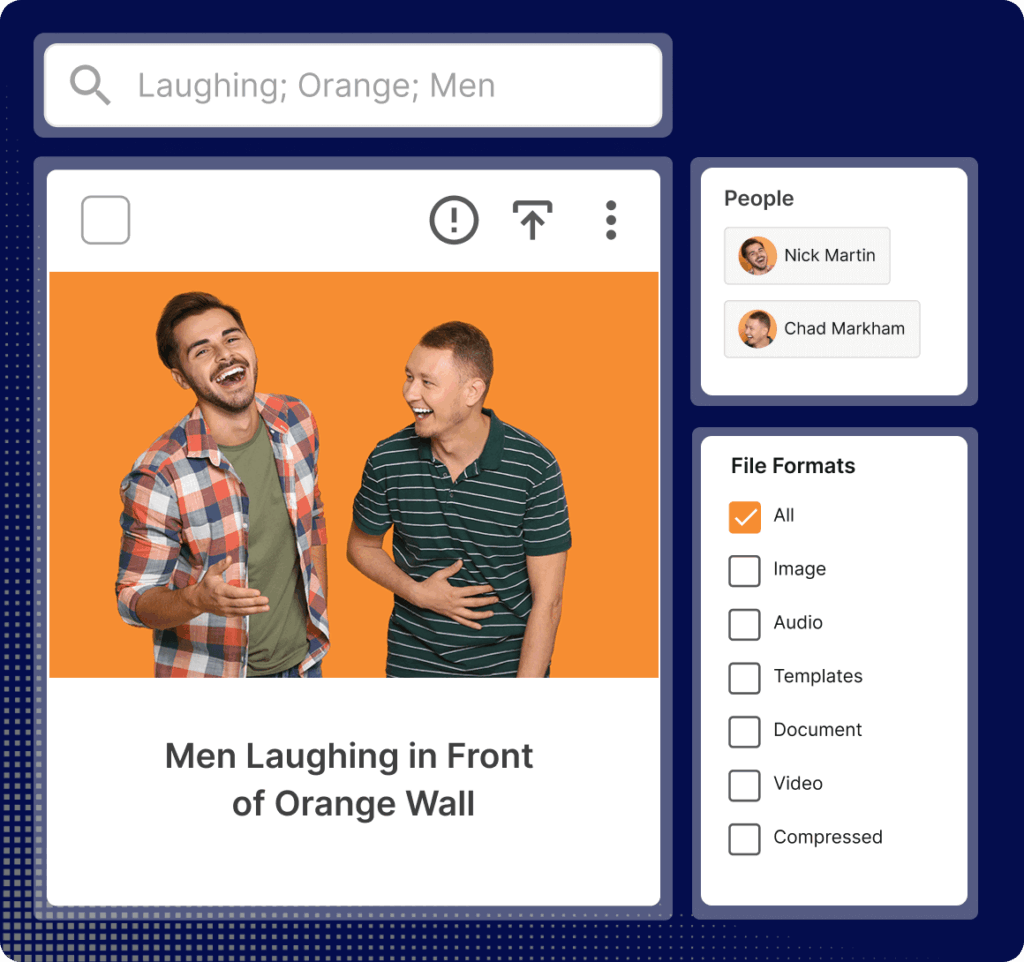
- Tag: Each file gets metadata such as product, campaign, region and usage rights. AI can suggest tags, automatically detect objects, recognize and tag faces across video and images and write descriptions to cut down manual entry.
- Search: Users find files by keyword, filter, AI chat or saved search, and only see the content their permissions allow.
- Transform: Store the file once and transform it into different file sizes and resolutions with smart AI cropping.
- Rights Management: In the metadata, review dates can be set for automatic expiration, and files can be linked to talent consent forms.
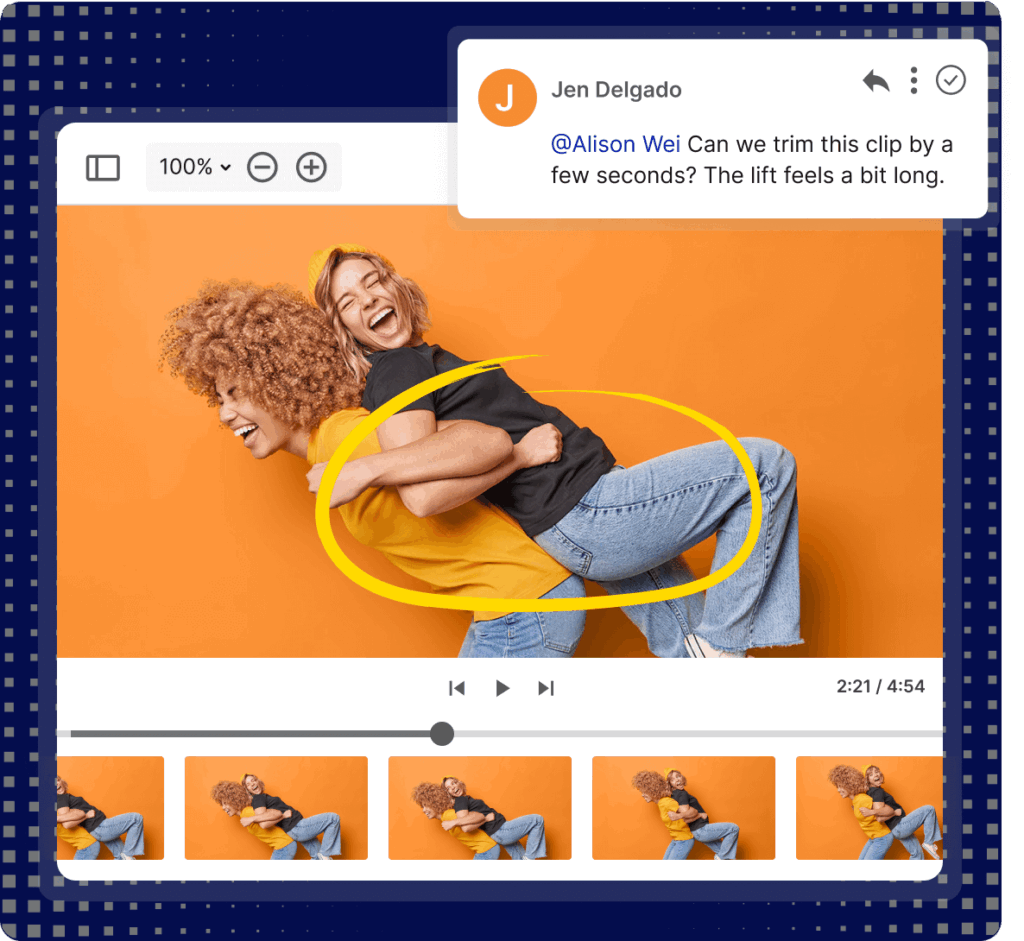
- Approve: Files can be routed for approval prior to adding to the DAM, prior to downloading and for general feedback.
- Share: Files can be downloaded in bulk or shared via collections or links to internal or external users. Files shared via CDN links can automatically be updated wherever the file is embedded.
- Govern and archive: Administrators track rights and expiry dates, and retire outdated files so they stop appearing in search.
- Analytics: Administrators can see actions and performance by user, user group or asset, as well as performance tracking links when files are linked to external platforms such as a web CMS.
We break each stage down further in our article on digital asset management workflow.
What Does a DAM System Do?
Features vary by vendor, but most DAM platforms cover the same core jobs.
Central Storage and Metadata
A DAM holds the master version of each file alongside its metadata: the product, campaign, market, owner and any usage restrictions. Metadata is what keeps a large library searchable as it grows, and it’s worth planning before you migrate anything. Metadata can be automatically extracted on upload, and you can add your own custom metadata such as product codes and AI provenance. Our articles on metadata for digital asset management and tagging cover how to structure it.
Search and AI Tagging
Users search by keyword, filter, file type or custom field. Many DAM platforms now use AI to tag images and video, write asset descriptions and transcribe audio. IntelligenceBank AI does all three, along with focal point detection, which lets non-designers crop one master image into different channel sizes without cutting off the subject.
Version Control and Permissions
Version control keeps one approved master with its full history, so nobody downloads last year’s logo by mistake. Permissions set who can view, download, edit or share each file. That matters as soon as agencies, partners or regional teams need access to some of your content and should be kept away from the rest.
Usage Rights and Expiry Tracking
Licensed photography, talent agreements and time-limited offers all come with conditions attached. A DAM stores those terms against the file and flags content before it expires. In IntelligenceBank, the Content and Collateral Tracker sends review reminders to content owners. Our article on digital rights management explains how this works in practice.
Sharing and Distribution
Files can be shared as downloads, links with expiry dates or CDN links that update everywhere they’re embedded when the master file changes. A headless DAM feeds content straight into websites and apps through an API, so nobody has to download and re-upload anything. For a full feature checklist, see our breakdown of the key digital asset management features.
Integrations
A DAM is most useful when it connects to the tools your teams already work in, so files move between systems without manual downloads and uploads. Common integrations include creative tools such as Adobe Creative Cloud and Figma, office tools such as Microsoft Word and PowerPoint, content management systems and marketing platforms.
With these connections in place, designers can save work to the DAM from inside their design tools, sales teams can insert approved images into decks without leaving PowerPoint and websites can pull assets straight from the library. IntelligenceBank integrates with Adobe Creative Cloud, Adobe GenStudio, Figma, Sketch, Microsoft Office and common CMS platforms.
Security and Access Control
A DAM often holds content that needs protecting, from unreleased campaigns to licensed imagery and customer materials. For enterprise and regulated organizations, look for single sign-on (SSO), granular user and group permissions and full audit trails showing who viewed, downloaded or changed each file. You should also get clear answers on where your data is stored and how the platform supports privacy laws such as GDPR and the Australian Privacy Act. See how IntelligenceBank approaches security.
What Counts as a Digital Asset?
A digital asset is any file your organization owns, has the rights to use and needs to find again. For marketing and brand teams, that usually covers the following.
| Category | Common formats | Examples |
|---|---|---|
| Images | JPEG, GIF, PNG, TIFF, EPS, WEBP, 3D and more | Product shots, headshots, stock photography, icons, logos |
| Video | MP4, MOV, MPEG, WEBM, WMV, AVI and more | Ads, social cuts, training videos, event recordings, customer testimonials |
| Audio | MP3, WAV, MP2, WEBA and more | Podcasts, voiceovers, music beds |
| Documents | PDF, DOCX, PPTX, TXT, KEY, CSV, XLSX and more | Sales decks, brochures, brand guidelines, product disclosure statements, copy |
| Design files | PSD, AI, INDD | Print layouts, banner ads, editable templates |
| Other | TTF, OTF, HTML, URLs | Fonts, email templates |
The detailed metadata attached to a file is what makes it a “digital asset.” A campaign image with no record of who approved it, where it can run or when its license ends is a risk for never being able to find it again.
Signs Your Team Needs a DAM
Most teams don’t go looking for DAM software until the same problems keep coming back. If several of these sound familiar, shared drives have likely stopped working for you.
- People regularly ask the designer or marketing team for files they should be able to find themselves.
- Nobody is sure which version of a logo, template or product image is current.
- Agencies and partners are working from files emailed months ago.
- Expired offers, old branding or unlicensed images have made it into market.
- Legal and compliance teams can’t easily see what was approved, by whom or when.
- Content gets recreated because nobody can find the original.
Why Companies Use Digital Asset Management
The business case for DAM usually comes down to time, cost and risk related to your content. These are the benefits teams report most often.
- Less time searching: People find approved files themselves instead of asking the designer or digging through drives. IntelligenceBank customers report 10x faster asset search, and McNab reduced asset search time by more than 90% after moving to IntelligenceBank.
- Faster approvals: Briefs, reviews and sign-off happen in one place instead of long email chains, so content gets to market sooner. IntelligenceBank customers report 7x faster approvals.
- Lower production costs: When teams can find and adapt existing content, they spend less on reshoots, agency recreations and duplicate licenses.
- Fewer outdated files in market: With one approved master and old versions archived, there’s far less chance of an expired offer or an old logo going out.
- Consistency across partners: Agencies, franchisees and regional teams all work from the same approved files and templates.
- More reuse: When people can find existing content, they request less new content. Movember grew content usage by 417% with IntelligenceBank.
- Visibility over rights and approvals: Legal and compliance teams can see what’s approved, where it’s being used and when it expires.
- Room to scale: As content volume, channels and markets grow, a DAM keeps the library organized and searchable instead of letting it sprawl across more drives and inboxes.
These benefits build on each other over time. The more content a team produces and the more people who need access to it, the wider the gap between a DAM and a shared drive.
DAM vs Cloud Storage, CMS and Other Systems
DAM often gets confused with other systems because they all store files. The difference is what each one is built to manage.
| System | Built to manage | How it relates to DAM |
|---|---|---|
| Cloud storage and shared drives | General files, syncing and sharing | Stores files well. Metadata, rights tracking and creative approvals usually need extra setup or separate tools. |
| Content management system (CMS) | Website pages and content | Publishes to your site and often pulls its images and video from a DAM. |
| Document management system (DMS) | Contracts, records and business documents | Built around text documents and records retention. |
| Product information management (PIM) | Product data such as SKUs, specs and pricing | Holds the product data. The DAM holds the images and video that go with it. |
| Media asset management (MAM) | Video and audio production | A specialized type of DAM for broadcast and post-production teams. Most DAM systems also manage video well. |
| Brand portal | Branded access to approved assets | A front end to the DAM for agencies, partners and franchisees. |
If your team mostly shares internal documents, cloud storage may be all you need. A DAM earns its place once you’re managing high volumes of visual content, working with external partners or handling content with legal conditions attached. We compare the options in more detail in DAM software vs Dropbox, IntelligenceBank and SharePoint, the different types of DAM systems and what a brand portal is.
Who Uses Digital Asset Management?
Any organization producing content at volume can use DAM. The strongest fit is mid-size and large organizations where content passes through several teams before it goes live, or where regulators care about what it says.
Teams
- Marketing and brand: Find approved content fast and keep campaigns consistent across channels and markets.
- Creative and studio teams: Spend less time answering file requests, and review work in the same place the assets live.
- Sales: Pull current decks and product images without checking with marketing first.
- Legal and compliance: See approval history, usage rights and expiry dates for any file.
- IT and security: Manage user access and connections to other business systems in one place.
Industries
DAM does the most work in industries where content carries legal risk or runs across many locations. That includes banking and finance, insurance, healthcare, pharmaceuticals, government, higher education and retail.
Franchise networks and dealer groups face the same problem at a different scale. Hundreds of local partners need approved content they can adapt, and head office needs to know it still meets brand and legal requirements when it goes out.
How DAM Connects to Approvals and Marketing Compliance
Storing, tagging and routing content for approval are standard DAM features today. For regulated organizations, the harder questions sit around them: who signed off a claim, on what basis and if the content is still compliant six months after it went live.
IntelligenceBank is built around those questions. Our DAM connects directly to marketing workflows for briefs, reviews and approvals, and to AI-powered marketing compliance that checks content for legal, regulatory and brand risk before it’s published. In practice, that looks like this.
- Approval status travels with the file: Each asset carries its rights, usage terms and approval history, so people can check it’s cleared for use before they download it.
- Reviews happen where the assets live: Legal and compliance teams review and mark up creative inside the platform with online proofing, and every decision is logged against the brief.
- Rule-based compliance checks: Content is checked against rule libraries based on industry regulations, including those from the SEC, FINRA and CFPB. Generative AI is kept for creative work, where variation is useful.
- Monitoring after launch: Website risk reviews scan live pages for outdated offers, expired disclaimers and risky claims.
Angle Auto Finance uses IntelligenceBank to manage marketing compliance across more than 800 dealerships, wholesalers and lease providers, and has reduced compliance reviews to two minutes per asset.
Your legal team still makes the final call. The platform gives them a full record of what was approved, by whom and when, and flags content that needs another look.
How to Choose a DAM System
Start with the problem you’re solving and test every vendor against it. Map your file types and volumes, the internal users and external partners who need access, your review and approval steps, the tools the DAM has to connect with and your security requirements. Then ask each shortlisted vendor to run their demo using your own files and your real approval process.
Our article on how to choose a DAM system walks through the full process. The G2 DAM Vendor Comparison Report shows how buyers rate the main platforms side by side, and once you’ve chosen, our article on rolling out DAM software covers migration and launch.
Frequently Asked Questions About Digital Asset Management
What Does DAM Stand For?
DAM stands for digital asset management. The term covers both the practice of organizing a company’s content files and the software used to do it. You’ll see DAM system, DAM platform and DAM software used interchangeably, and they all refer to a central library for managing images, video, documents and other brand content.
What Is the Difference Between DAM and a CMS?
A content management system (CMS) builds and publishes website pages. A DAM manages the files those pages use, such as images, video and documents, and supplies them to your CMS, social channels and other tools. Many organizations run both, with the CMS pulling approved images from the DAM so one update carries through to every page that uses the file.
What Is the Difference Between DAM and PIM?
Product information management (PIM) software holds product data such as SKUs, specifications, descriptions and pricing. A DAM holds the visual content, such as product photography, videos and spec sheets. Retailers and manufacturers often connect the two so each product record links to its approved images, and both systems stay current when a product changes.
Is Digital Asset Management the Same as IT Asset Management?
No. IT asset management (ITAM) tracks hardware, devices and software licenses across an organization. Digital asset management handles content files such as images, videos and brand documents. The names are similar, but the systems, buyers and features are different, and organizations that have a DAM usually run a separate ITAM tool as well.
What Is a Headless DAM?
A headless DAM delivers content to websites, apps and other systems through an API, so users don’t need to log in and download files. When a file is updated in the DAM, every connected channel shows the new version. It suits organizations publishing the same assets across several sites or apps.
How Long Does It Take to Set Up a DAM?
It depends on the size of your library, how much metadata needs to be migrated and how many systems the DAM connects to. A clean, well-organized library moves faster than years of unsorted shared drives, so most teams tidy up before they migrate. Angle Auto Finance had IntelligenceBank fully deployed in 30 days.
Is DAM Only for Large Enterprises?
No, but it pays off fastest once content volume and approval overhead outgrow shared drives. That usually happens when several teams, agencies or partners use the same content, or when content needs legal review before it goes out. IntelligenceBank works with mid-size and enterprise organizations, and each setup is configured to match the team’s own approval rules.
See how IntelligenceBank DAM and compliance review work together on your own content.