
Digital Asset Management for Small Business
IntelligenceBank gives small and midsize teams one searchable home for logos, images, videos and documents, so everyone can find the right file in seconds, share it safely and stay on brand, without an enterprise-sized rollout.

Signs your small business needs a DAM
You probably need digital asset management (DAM) if:
- Your team regularly asks, “Where’s the latest logo?”
- Files live across shared drives, inboxes, desktops and messaging apps
- Sales teams and partners use old versions of your brand assets
- You spend time every week sending files and resizing images for other people
- You’ve lost track of which images you’re licensed to use, and for how long
- Feedback and approvals get lost in long email threads
What a DAM does for a small team
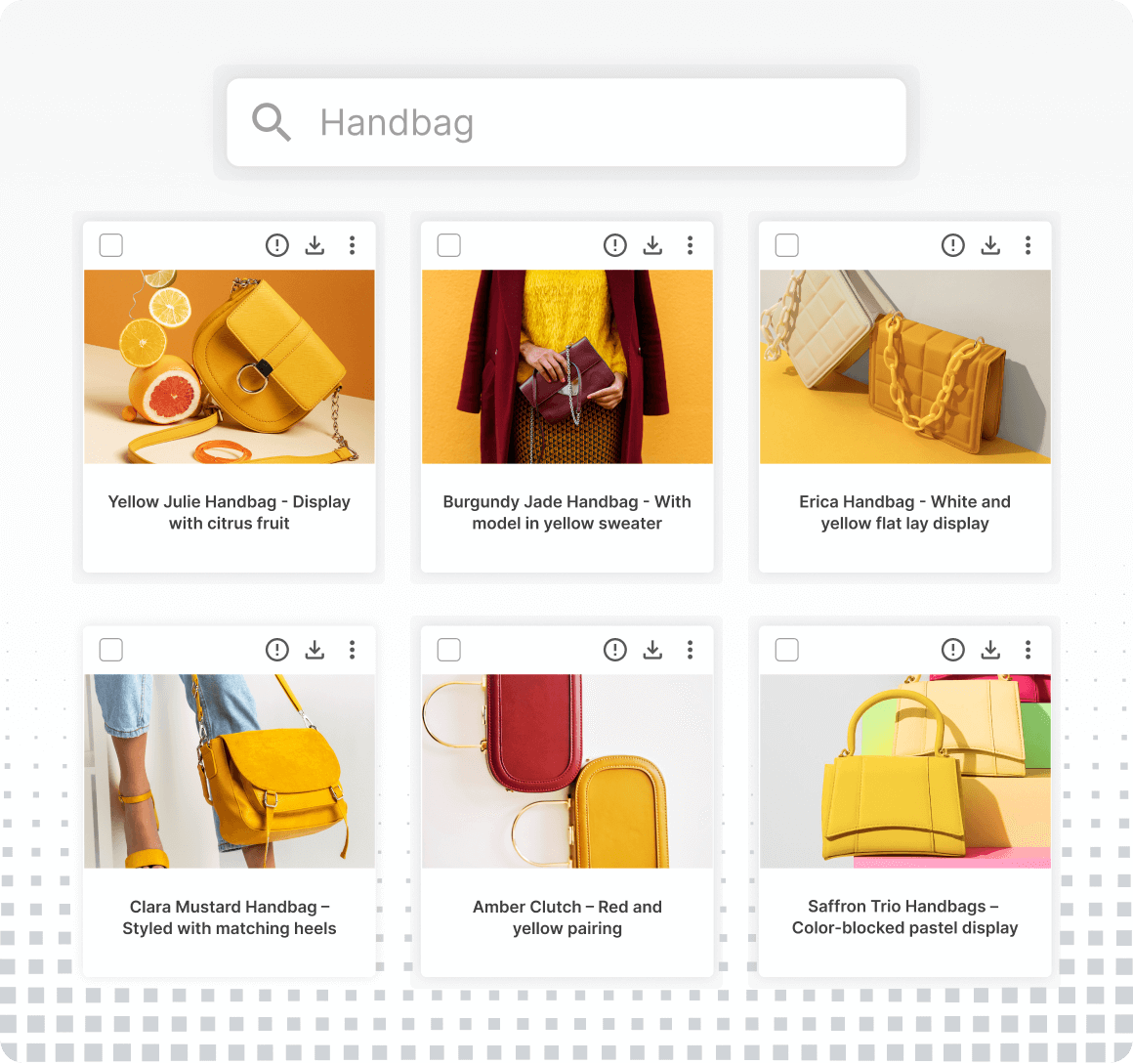
Find Any File in Seconds
AI tagging makes every image searchable by what’s in it. Search by keyword or build filters to find exactly what you need, without remembering folder names.
Share safely inside and outside your business
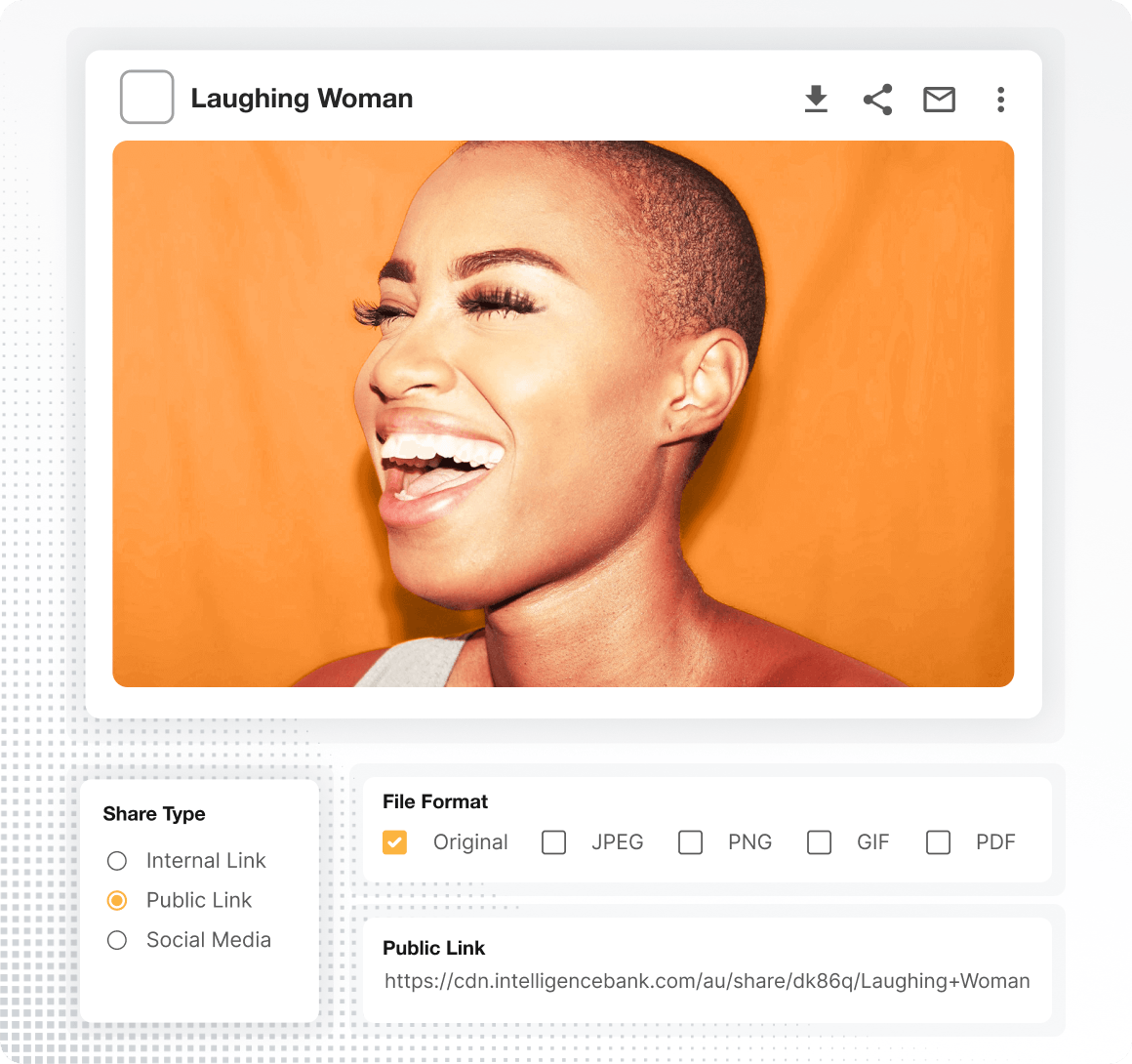
Share approved files with your team, agencies and partners from one place. Set download expiry dates to control how assets are used, and use CDN links to update content instantly on your website.
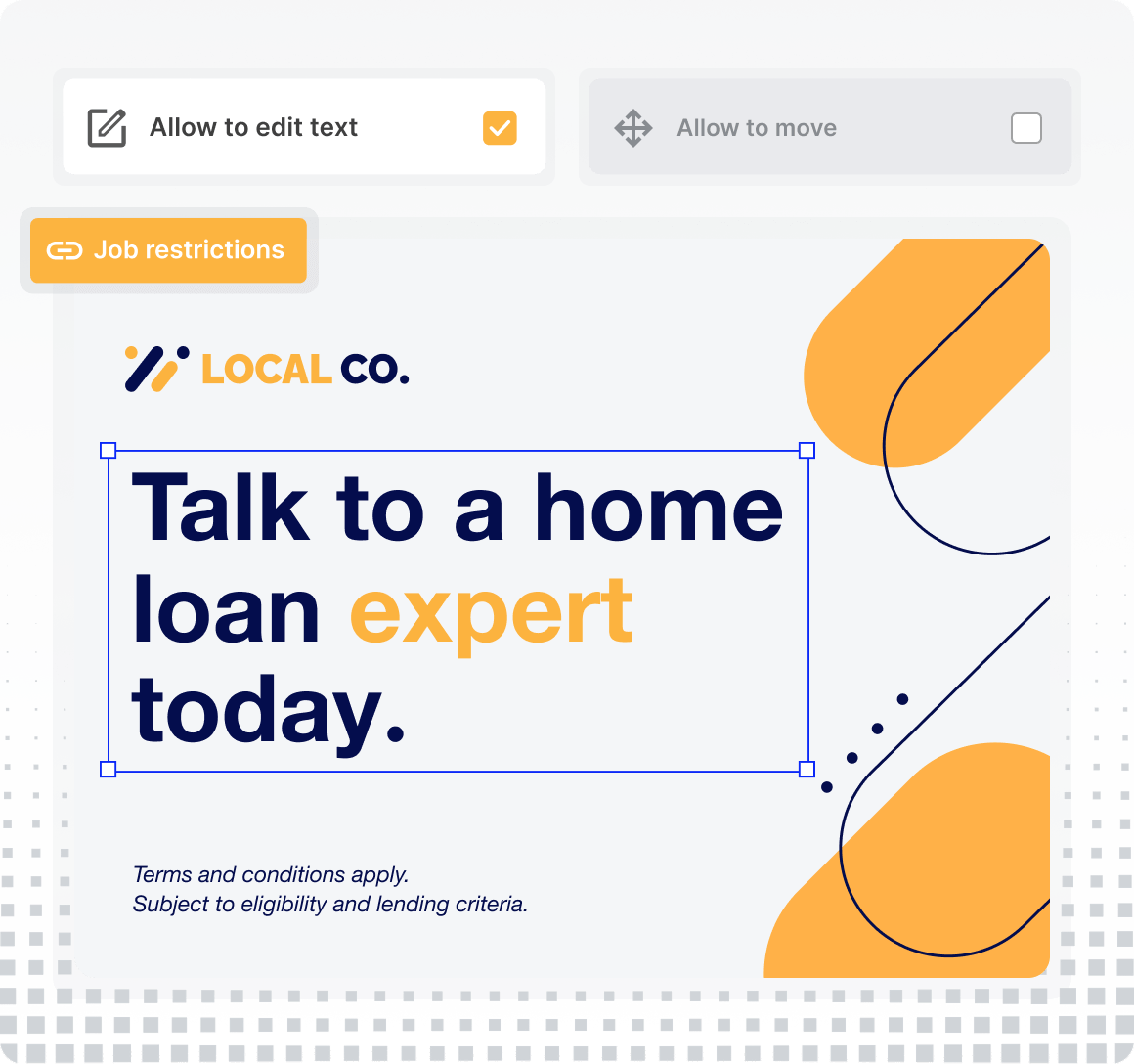
Keep everyone on brand
Store your brand guidelines next to your assets, so the rules travel with the files. Creative Templates let non-designers create on-brand materials themselves.
Protect usage rights
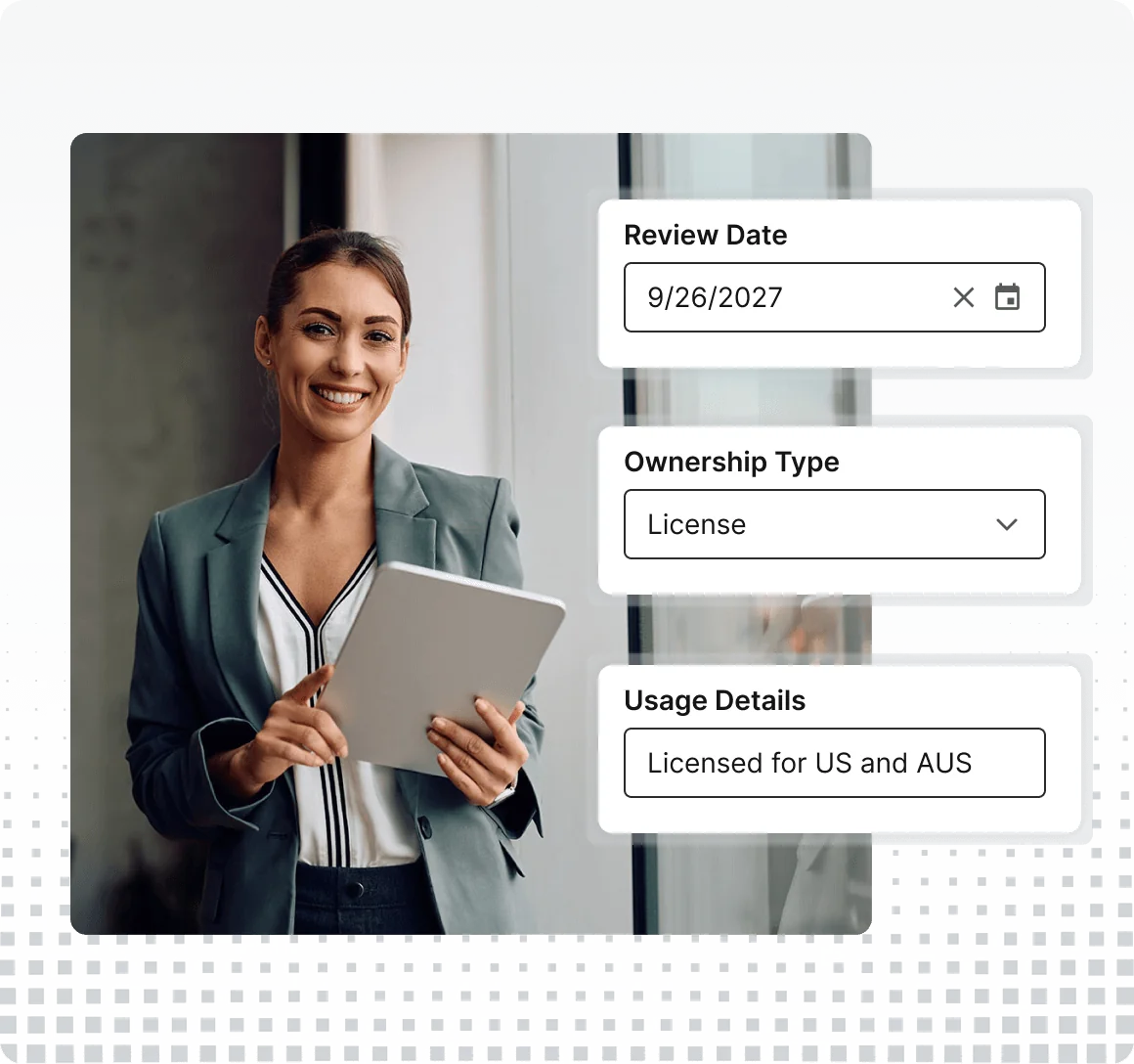
Store licensing terms, talent releases and expiry dates against each asset, with review dates that flag content before it expires.
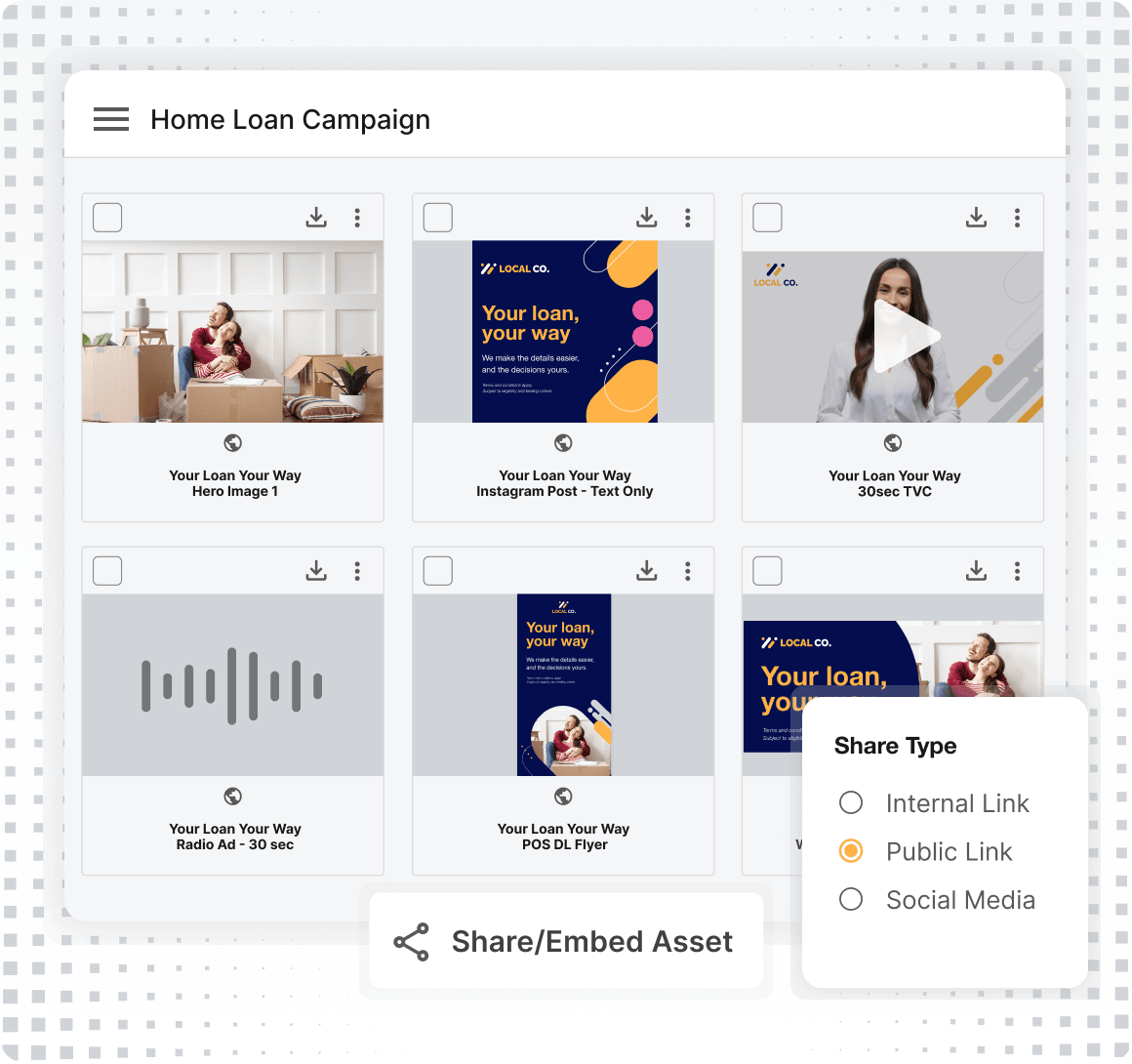
Spend less time on requests
When people can find and download what they need themselves, your marketing team spends less time sending files and more time on the work that matters.
What to look for in a small business DAM
Easy for everyone to use
Test it with the people who’ll use it every day, not just admins.
Quick to set up
Ask who does the setup work and how long it takes.
AI tagging included
Check whether AI tagging is part of your plan or costs extra.
Sharing controls
Make sure you can control who sees, downloads and shares each file.
Brand guidelines and templates
Look for a platform that keeps your rules with your assets.
Approvals
If content needs sign-off, check whether reviews can happen in the same place.
Integrations
Confirm it works with the design and office tools your team already uses.
Support
Find out who you’ll talk to when you need help.
Room to grow
Choose a platform that can add workflows and brand portals as your team grows.
For a deeper checklist, read our article on how to choose digital asset management software.
Why small and midsize teams choose IntelligenceBank DAM
12,000
AI Tagging in Every Package
Every IntelligenceBank package includes 12,000 AI-tagged images per year, plus 20 minutes of video and audio tagging and closed captions.
8.6 · 8.8
Easy to Set Up and Run
G2 users rate IntelligenceBank 8.6 out of 10 for Ease of Setup and 8.8 out of 10 for Ease of Admin, and our implementation team helps plan and deliver your rollout.
9.4/10
Support From a Dedicated Account Manager
Every IntelligenceBank customer works with a dedicated account manager. G2 users rate IntelligenceBank 9.4 out of 10 for Quality of Support, and IntelligenceBank holds G2's Fall 2026 Best Support badge for small business in Online Proofing.
Room to grow
Start with digital asset management, then add marketing workflows, BrandHub brand portals or marketing compliance as your team grows.
Secure, Regional Hosting
Your data is hosted in the United States, United Kingdom, Canada or Australia, in AWS data centers that are ISO 27001 and SOC 2 compliant. See our security and data residency page for details.

How to get started with DAM
Gather your assets
Pull together the logos, images, videos and documents your team uses most, and set aside anything out of date.
Agree on a simple structure
Decide on a few top-level folders, naming rules and tags before you upload. Keep it simple enough for everyone to follow.
Set up access
Decide who can view, download and upload assets, including agencies and partners.
Add your brand guidelines
Put your guidelines next to your assets, so people know how to use what they download.
Show your team
Walk people through finding and sharing assets, then retire the old shared drives so there’s only one place to look.
Results From Growing Teams
+34%
content volume
+417%
content usage
Movember grew content volume by 34% and content usage by 417% with IntelligenceBank.

One source of truth
Community Transit created one source of truth for its creative assets and reduced the requests reaching its Creative Services team.
Digital Asset Management for Small Business FAQs
What Is Digital Asset Management for Small Business?
Digital asset management for small business is software that gives a small team one central, searchable place to store, organize and share files such as logos, images, videos and documents. For a full explanation, read our guide to digital asset management.
Do Small Businesses Need a DAM?
If your team struggles to find files, shares assets with agencies or partners, or keeps seeing old versions of your brand in use, a DAM will save time and reduce mistakes. The more content you create, the more valuable it becomes.
How Is a DAM Different From Google Drive or Dropbox?
File storage tools are built for storing and syncing files. A DAM is built for marketing assets, with AI tagging, brand guidelines, sharing controls, usage rights and approvals in the same place.
How Long Does It Take to Set Up a DAM?
It depends on how many assets and users you’re bringing across. G2 users rate IntelligenceBank 8.6 out of 10 for Ease of Setup, and our implementation team helps plan and deliver your rollout.
How Much Does a DAM Cost for a Small Business?
Pricing depends on the modules and number of users you need.